
Don’t get me wrong. I’ve had a forty year love affair with the software industry and can verify first hand that it improves lives, saves resources and generates more income for businesses – it is an absolute game changer. But the software industry is also one of the most wasteful and debilitating industries on the planet.
The numbers are so large the statistics don’t seem real. The global cost of IT project failure is calculated at US$6.2 trillion per annum with an estimated 15 percent of projects being abandoned pre-launch or shortly afterwards. A survey of businesses in Europe established that up to 50 percent of purchased software is never effectively used – a good percentage of it never actually being deployed at all.
This catastrophic ongoing pattern of failure and waste seems to be accepted as part of the high risk we pay for the reward of progress. But should it be?
It isn’t that those in the software industry are necessarily negligent and by all accounts the IQ level is higher than most. So why don’t we have the same expectations of those engineering our software as we do for those engineering buildings and bridges?
I see three main drivers for the waste that occurs:
1. The technology industry celebrates platform change. While there can be real improvements associated with a platform shift, very often it is a thinly disguised commercial opportunity to turn existing customers into new customers all over again.
2. Love of shiny new things. Disruptive thinking is in every software developer’s DNA. As a result they’re always pushing the boundary and see their latest solution as the only solution and demand that everyone immediately embrace its brilliance. The question as to whether you really need to upgrade (or not) is never asked.
3. The most critical cause of all: A disconnect between developers building technology they love as opposed to building what the customer actually needs. It is an age-old information gap but the void between customer and developer is larger than most.
It means we see the software equivalent of a lot of new mouse traps in a year. We also see numerous projects fail because what the customer actually wants isn’t getting heard. Or if it is being heard, then it isn’t being interpreted accurately so the outcomes that are delivered miss the mark.
At some level software is also viewed as highly replaceable. Because it is constantly evolving and changing even a completed project is never finished – there are constant upgrades and improvements as the technology and business requirements continue to evolve.
As we’ve already discussed this can create a rip and burn mentality; out with the old and in with the new, requiring a complete rethink and often a rebuild every time your business grows and changes. This is not such an issue when your company (and comparative investment) is small or if the software sits at the periphery of your business.
It is an entirely different matter when you are discussing replacing the core-system that runs every aspect of a business. Then the decision to shift house is an expensive and disruptive undertaking and something you don’t do lightly.
And this is where the engineering and architecture of your software really comes into play. You shouldn’t have to shift house to accommodate expansion or changing business requirements. Growth is the fundamental focus of every organisation and any business management system worthy of the title, should be able to expand with you – effortlessly.
Some ERP software players are addressing this issue by bolting on some new bits which is easily done while business goes on as usual. But it is the equivalent of window dressing a leaky building – it looks and functions OK at a surface level but you don’t have to dig too deep to start finding areas of pain: processes that aren’t integrated, areas of the database that aren’t searchable, parts of the program that require a manual work-around.
The excuse is generally that renovating the building while you still occupy it is too hard and too costly. I would argue that should never be the case if the underlying platform and architecture you have in place are built to last. Change is inevitable and if your core business systems aren’t built to change and grow then your business will continue to be limited by the software it’s using.
So what lessons should you take from this? Firstly don’t be distracted by the window dressing. When you’re buying software pay as much attention to its architecture and engineering as the processes and systems it automates for you. Ask the hard questions around meeting the growth challenge and assess how easy it will be for you to execute add-ons and renovations while you continue business as usual. There is truth in the statement that a building is only as good as its foundations. The same is true of software.
ARTICLE SUPPLIED BY:
Greentree International
W: www.greentree.com
Australia
E: sales@greentree.com
T: 1800 147 492
New Zealand
E: sales@greentree.com
T: 0800 313 313
Retaining skilled staff is vital for the success of any organisation, yet each year many are leaving because of a widespread problem. HR departments spend considerable time and money recruiting people with the best possible mix of skills and invest heavily to ensure new staff ‘hit the ground running’. Comparatively little time is spent analysing why staff are leaving and trying to find the root cause of their frustrations.
“Alarmingly, one of the key factors that causes staff to leave an organisation is often overlooked,” says Peter Dickinson, chief executive officer of ERP software company, Greentree. “This hidden problem has nothing to do with compensation or working hours. It comes down to frustration with poor internal systems that are stopping people being effective in their role.”
Dickinson says that while the issue of poor systems has a significant negative impact on many organisations, it is not widely documented. Often, staff who leave do not receive an exit interview at which such issues could be raised. Instead, emphasis is put on finding replacements who then have to work under the same conditions.
“Anecdotally, I regularly hear from staff about how frustrated they are with an organisation’s existing systems. It seems that often little, if anything, is done to change the situation and so the frustrations remain and grow over time.”
Poor systems to blame for staff frustrations
Inefficient internal systems can come in a variety of forms. Some may have evolved over many years, while others are caused by poorly planned workflows.
Examples include repetitive tasks such as manual data entry or monotonous paperwork. Others might involve dealing with business systems that are not integrated, or having to constantly combine data from multiple sources to create a single overall report.
Some organisations attempt to overcome such frustrations through the introduction of new technology. While this can succeed, the danger in introducing multi-interfaces or multiple systems is that they don’t, or can’t, talk to each other.
“Anecdotally, I regularly hear from staff about how frustrated they are with an organisation’s existing systems. It seems that often little, if anything, is done to change the situation and so the frustrations remain and grow over time.”
Peter Dickinson, CEO, Greentree
Integration is key
Dickinson says it’s important for new systems to be comprehensive in their capabilities and properly integrated with other applications in use to allow data to be seamlessly accessed. He points to Greentree as an example of what a fully integrated system can provide.
“The underlying architecture of Greentree software means all its capabilities are fed by the one database i.e. one version of the truth,” he says. “From an HR perspective, its biggest benefit is not in managing employee leave allocation (which it does) but in the way it can remove many manual and onerous tasks – the very ones that cause staff frustration and loss.”
Freed from much of the administrative drudgery of manual or non-integrated systems, staff can focus their energies on more value-add activities. This could include improving customer service levels or planning for new initiatives. A well-integrated system should also have an intuitive user interface, as cumbersome UIs can be another source of employee frustration and stress. Some systems require long hours of training before new staff can effectively complete their duties.
“At Greentree, we have invested heavily in creating a UI that is easy to master while at the same time offering the flexibility and features needed by power users,” says Dickinson. “While introducing any new system is undoubtedly disruptive at every level we try to minimise this as much as possible. We pride ourselves on having developed software that lets the user dictate how tasks are done – not the other way around.”
Internal systems audit
To determine whether problems exist within an organisation the temptation is to launch an exhaustive review of all of the company’s systems and processes. But Dickinson recommends a different approach, focusing on the critical businesses processes – the 20 percent of what you do that impacts on most of your business. “Get that right and the rest will follow,” he says. “But you also need to remember that for staff to enjoy true satisfaction from their roles, it’s important they feel part of the wider objectives of the organisation.
“It doesn’t matter if it’s reaching a departmental monthly sales goal or showing how an individual’s input helped within the bigger picture. Recognition is vital.” He goes on to point out that these goals only become real if they can be accurately internally tracked and reported against – another tick in the box for a fully integrated system.
HR part of the discussion
“Too often business process related discussions are limited to those on the purely operational side of the business, but poor systems are proving to be much more of an HR issue than most people realise,” says Dickinson. “By including your HR team around the table when you’re reviewing internal workflows, improving existing systems and evaluating what you should report on, you will go a long way to ensuring these topics are fully understood in terms of employee retention and turnover.
If investing in improved systems and processes results in happier people and a more productive workplace then you’ll have solved some potentially major HR issues with an outcome that is both sustainable and cost-effective.”
“We’re moving to the cloud!’
You hear that a lot in the business world today: cloud is the buzz word, cloud is the future – it’s here now, and before long it’s going to be where all data is stored, and where all business applications are hosted.
But is that the reality? If you’re looking at a significant computing upgrade, should the cloud be your first option? Will a wholly cloud-based system suit your needs? Or are there some functions that are still better performed by computers on-premise?
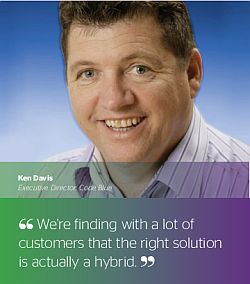
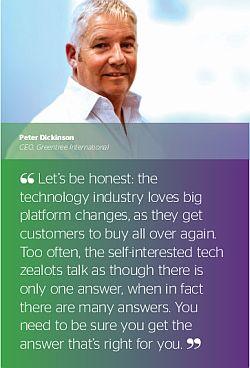 Peter Dickinson, CEO of Greentree, Ken Davis, Executive Director of Greentree’s New Zealand cloud services partner CodeBlue, and David Sankey, CEO of Australian cloud partner AoD, say businesses need to be properly prepared when considering cloud computing, and they need to ask some hard questions of vendors, to ensure they get the right solution.
“Let’s be honest,” says Dickinson, “the technology industry loves big platform changes, as they get customers to buy all over again. Too often, the self-interested tech zealots talk as though there is only one answer, when in fact there are many answers. You need to be sure you get the answer that’s right for you.”
Is the cloud right for me?
Cloud is inevitably on the agenda today for any business looking at significant computer hardware expenditure. An on-premise server is an expense that needs careful analysis to ensure that it’s an investment rather than a liability. You have to factor in the ongoing maintenance costs, and whether it has the capacity to add more software if new functions are required. And whatever you buy, it’s going to have a finite life span.
Equipment obsolescence is a major selling point for cloud vendors. ‘Get your computing from us’, they say, and kiss your hardware problems goodbye. ‘Upgrades and replacements are our problem, not yours’. ‘The only hardware you deal with is the means by which you access your data and applications. And what’s more: you can access them anywhere, from any web capable device! You don’t need that great big expensive server in your office; you probably only use a fraction of its capacity anyway. With the cloud, you get (and pay for) just what you need!’ Sounds great, doesn’t it – the convenience and the flexibility? Dickinson uses the analogy of driving your car versus catching the bus. But as he points out: some days you need your car because the bus doesn’t suit.
“There are a lot of instances where you don’t just want to go from A to B; you want to go from A to B and you want to pick up a package from C on the way, or you want to leave at 7.30 rather than 7.24,” he says. “You want to be in control of what you’re doing, and the bus doesn’t always give you that.”
Dickinson emphasises that Greentree is cloud-agnostic. “We have customers that run on-premise, and others in public or private clouds, and we offer shared software models as well,” he says. “The choice is entirely up to the customer.”
Another cloud question for businesses is: ‘do I want a cloud resource that is mine, or am I happy to share with lots of others?’ Setting up your own ‘private cloud’ infrastructure is going to cost you more, but the financial benefits must be balanced against such factors as loss of control. The private cloud is your resource and you can manage it as you want. The public cloud is a shared resource which the host will manage, and therefore your priorities will be balanced against those of many others.
If you also decide to opt for Software-as-a-Service, or SaaS, rather than buy a software licence, what you save on capital costs may be exceeded over time by your monthly rental fees. In addition, SaaS offerings tend to have limitations. While it’s convenient not having to manage upgrades, these will instead be in the control of the provider, and you may not get the functionality you want, when you want it. “You generally have to _it in with what they’ve got available,” says Dickinson.
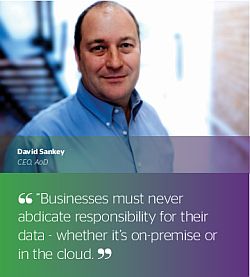 Then let’s not forget that back in April of this year, Amazon’s data centre suffered a major outage that left quite a few global websites out of action for days. “There seems to be a lot of sales pitches that the cloud totally eliminates risk. To me this is an illusion, until the disaster that nobody predicted happens,” says Sankey. “Such incidents also drive home the message that businesses must never abdicate responsibility for their data – whether it’s stored on premise or in the cloud.”
One size doesn’t fit all
So, moving everything to the cloud may not be the best option. “It’s horses for courses really,” says Davis. “It doesn’t suit everyone’s situation and we’re finding with a lot of customers that the right solution is actually a hybrid – some services in the cloud, some on-premise. That’s quite a common result.” It would also be a mistake to assume that cloud solutions are cheaper than on-premise. Yes, your initial outlay may be smaller, but you also have to take account the ongoing service charges from your cloud hosting provider and your ISP.
 “What we do is a bit of a road map,” Davis says. “We look side by side at the cost benefit of moving certain applications into the cloud – and there is no one right answer.”
Medium sized businesses are increasingly taking advantage of cloud services like Google’s Gmail and Microsoft’s Office 365 suite. Cloud mail currently holds between three and four per cent of the enterprise email market, and researcher Gartner predicts this will rise to 20 per cent by year-end 2016. So, what functions aren’t ready yet for the cloud? “I’m firmly in the camp that file & print, for example, is going to be on-premise for a long, long time,” says Davis.
Seeking the best fit
The primary question any business should want answered is ‘What do I want my system to do?’ Forget about the hardware; forget about the notion that ‘cloud is everything’. When you’re planning your computer acquisition, you need a clear outline of your business processes that the vendor can use to map a system that suits your requirements, and your budget. The nature of your business will be a decider when opting for cloud or on-premise. “If you’ve got 20 people in a single office, the cloud option is less compelling than if you’ve got five offices and a large-scale sales & service force out on the road all day,” Davis says.
Bandwidth also becomes important for speed of access to certain functions. “People tend to think about web performance in terms of websites,” says Sankey. “They’ll be somewhat patient in terms of a website loading, but a data entry person won’t be patient when they’re trying to hammer through 100 sales orders.”
Remember too, that a cloud system is dependent on the internet connection, creating another potential point of failure. If you’ve only got one internet connection, you must seriously consider establishing a second, preferably with a different ISP.
Therefore, when seeking a best-_it computing solution, draw up a transition plan and ensure you get a cost analysis of cloud versus on-premise – get it broken down by each application if necessary, to determine what the right strategy is for your business.
The vendor can satisfactorily answer the questions in the box below, is probably the one for you.
| WHAT IS CLOUD ANYWAY? Cloud computing is the delivery of computing as a service rather than a product. Shared hardware resources, software and information can be provided over a network (typically the internet). You don’t need to have a physical server sitting in your office anymore; you can rent space on one through a hosting company.You can also rent software-as-a-service (SaaS) rather than buy a software licence. SaaS is a shared software resource, usually charged for per user, per month.A ‘private cloud’ is yours to control; a ‘public cloud’ is a resource shared by many.CRUCIAL QUESTIONS TO ASK THE VENDOR
|
AU: 1800 462 388 · +61 401 189 448